How I Manage Note Keeping
Updated: 2026-01-19 15:04
I have been keeping notes for as long as I can remember, using various tools and methods. Often, wing it and then giving up on some complicated process before it even started. Or I was unsure about what to write down. The underlying issue was that I simply didn't understand what I was doing or why I was doing it.
I didn't know what to write or how to write it.
Fast forward a few years and I've found a system that work. A personal information management systems that is simple, lightweight and follow a set structure.
Requirements
- Clean, simple and lightweight
- Centered around daily notes
- Incorporate a tagging system
- A flat folder structure
- Contain tasks and to-dos
Inspiration
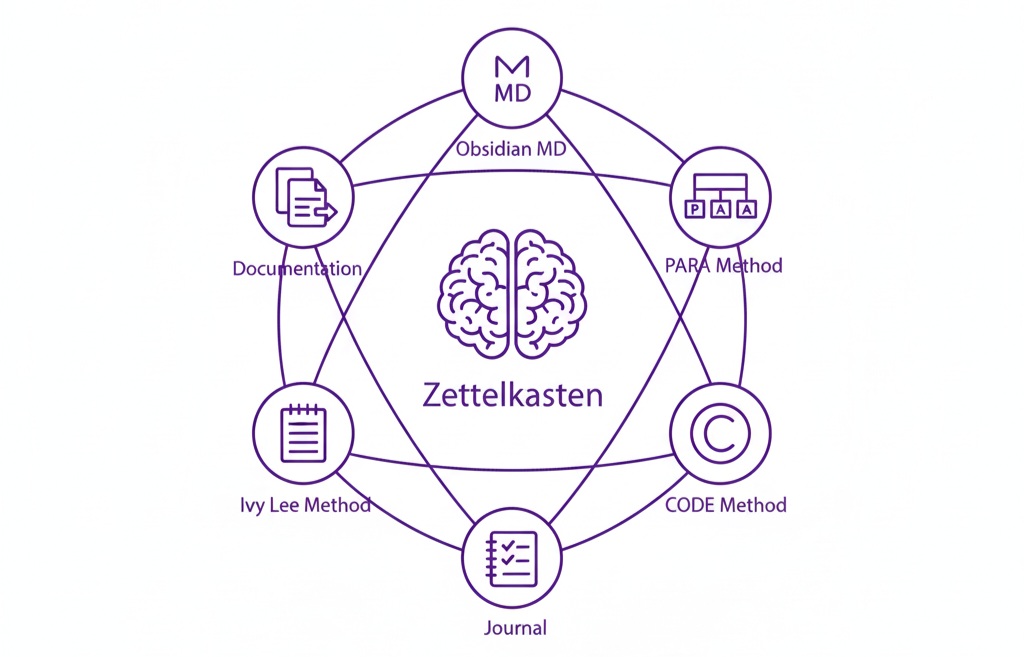
- PARA method for information organization.
- BASB (Building a Second Brain) method for process.
- Zettelkasten for how to use my notes.
- Routines from Atomic Habits.
- The Commonplace book for a simple capture system.
- Ivy Lee Method for a neat ongoing process.
My Process
The Workflow
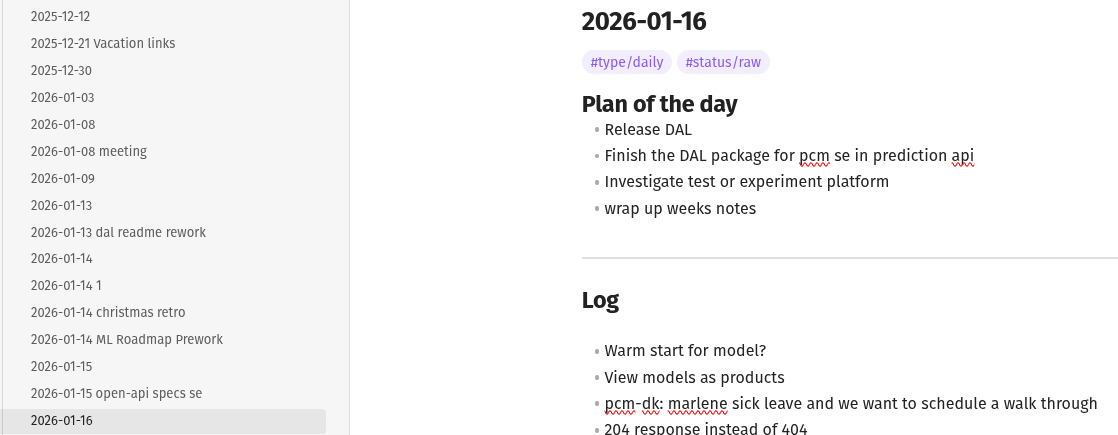
- I start the day by going through the notes from yesterday. Then, I open my daily note and jot down the most important tasks for today, often continuing from the previous day's work. Wrapping up the day like this is known as the Ivy Lee Method. I tend to do it first thing in the morning. Revisiting my most important tasks at both the start and the end of the day is a huge relief in keeping track of my commitments.
-
When appropriate, either sporadically or at a set cadence, these notes are renamed (e.g., "
{date} something else") and relocated to relevant folders like areas, projects, and resources. This is the O (Organize) in CODE. A project note should be the "home base" for that specific goal, while the daily notes remain the "log" of when you worked on it. Both BASB and Zettlekasten favor this capture-and-revise setup.Notes follow a structured format. I employ hierarchical tags to categorize the type of note (e.g.,
#type/meeting, #type/interview, or #status/raw) and allow links and names to dictate the use case. This method facilitates easy searching of notes based on both use case and other metadata. If I want to search for all interview notes although they reside in different folders I can easily do so.
I use my notes as a brain dump. There should be no obstacle to writing something down. This is the most important part of my process. Keep it simple stupid.
- Throughout the day, I record everything—notes, progress, ideas, meetings—in varying levels of detail. The goal is to capture information effectively. This is the Capture step in the Zettelkasten method and the C in C.O.D.E in BASB (Building A Second Brain). These daily notes are stored in a folder within my Obsidian Vault, which is essentially just a structured folder. Later that day, or sometimes later if time is tight, I revisit these notes to refine them.
How it is organized
While reviewing my daily notes, I place them in a more appropriate location, following the PARA structure.
0 daily/
1 projects/
2 areas/
3 resources/
4 archive/
assets/
Daily notes are stored with filenames formatted as YYYY-MM-DD.md, and sometimes include a contextual name following the date.
When refining a note, it may be categorized into projects if it is actionable with a deadline, into an area if it represents an ongoing commitment without a definitive end, or into the resource folder if it lacks a clear goal or commitment. Archiving functions as a soft delete.
Again, and I can't stress this enough, keep it simple stupid. The folder hierarchy should be as flat as you can manage it. No sub folders. I've spent a long time with just a single folder setup with daily notes and nothing else. I still think that it is a strong contender to the PARA structure if done correctly.
Where Should Notes Go?
Refining a note requires distilling the content to focus on a single subject. I add appropriate tags for categorization and links to related notes, complete with descriptions. These steps are recommended by both the Zettelkasten and BASB methodologies.
Before ending the day, I jot down notes on outstanding work and concerns for the following day. This brain dump allows me to release the day's work without fear of forgetting anything.
What Tool Should I Use?
Obsidian is a personal choice and not really important in terms of process. Don't get me wrong, I'll take a bullet before changing to something else, but it might just not be the tool for you. There are sensible options out there in Notion, Evernote, Joplin, or any major big tech solution really.
I use Obsidian for two main reasons.
First, its plain markdown file system is simple, with no complexity or lock-in.
I use Obsidian because I value simpicity and flexibility.
Second, it offers incredible flexibility in terms of plugins, themes, and options. I have even developed my own plugin to enhance my workflow. Some sensible plugins that I highly recommend include:
- Templater
- Tasks
- Dataview
- Homepage
These choices, naturally, vary depending on the use case. To illustrate, I do not use the same plugins for all of my vaults.
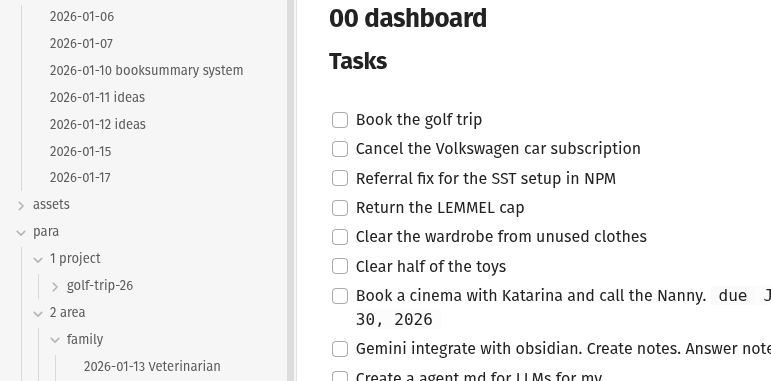
Tasks, Dataview and Homepage play so well together. I create tasks in my daily notes, then I have a homepage that is set to list all of my tasks from all of my files in one place using the Dataview.