Server side tracking
Updated: 2026-01-06 20:04
I detest bloated frontend frameworks that inhale half of the 800'000 packages in npm just to render a landing page in React. Detest is perhaps a bit too hard, but you know what they say, lead with a hook and reel in the reader.
Regardless, and on the same topic, I find client side tracking to be architectually deplorable in most cases. It is something that should simply reside in the backend. I know that this is a vast simplification of a complex topic and there are arguments both for and against. But again, having a client sending tracking data to a hostname that is not your backend (e.g. default GA4) just doesn't sit well with me.
Furthermore, ad blockers place you in an awkward position where you quickly develop trust issues towards your own tracking data. Doesn't that kinda defeats the purpose of said tracking in my opinion. Or as one of my colleagues told me "it's more about gathering trend data."
Server side tracking is a neat compromise if you are primarily intrested in tracking requests.
Implementing server side tracking
For this to work you need some kind of ingress, service mesh, or similar middleware that can direct traffic. The general concept is that you will mirror (shadow) traffic from that middleware to the tracking solution. I am using a self hosted GoatCounter in this example.
┌───────┐
│Blog UI│
└┬──────┘
┌▽───────────┐
│Traefik     │
└┬──────────┬┘
┌▽────────┐┌▽───────────┐
│SST proxy││Blog Backend│
└┬────────┘└────────────┘
┌▽──────────┐
│GoatCounter│
└───────────┘
Project structure
├── docker-compose.yaml
├── go-proxy
│   ├── Dockerfile
│   ├── go.mod
│   └── main.go
├── traefik
│   ├── dynamic.yml
│   └── traefik.yml
└── web
    └── index.html
Docker Compose
version: "3.9"

services:
  traefik:
    image: traefik:v3.2
    command:
      - "--providers.docker=true"
      - "--providers.docker.exposedbydefault=false"
      - "--api.insecure=true"
      - "--entrypoints.web.address=:80"
    ports:
      - "80:80"
      - "8080:8080" # traefik dashboard
    volumes:
      - /var/run/docker.sock:/var/run/docker.sock
      - ./traefik/traefik.yml:/etc/traefik/traefik.yml:ro
      - ./traefik/dynamic.yml:/etc/traefik/dynamic.yml:ro
    networks:
      - proxy

  web:
    image: nginx:alpine
    networks:
      - proxy
    volumes:
      - ./web:/usr/share/nginx/html:ro

  sst-proxy:
    build: ./go-proxy
    networks:
      - proxy
    environment:
      - GOATCOUNTER_URL=http://goatcounter:8080/count

  goatcounter:
    image: arp242/goatcounter
    networks:
      - proxy
    environment:
      - GC_DOMAIN=localhost
      - GC_PORT=8081
      - GC_DB=/data/db
    volumes:
      - goatdb:/data
    ports:
      - "8081:8081"
      - "8082:8080"

networks:
  proxy:
    name: proxy

volumes:
  goatdb:
Traefik
Server side tracking using mirroring (shadowing) in Traefik works by sending an additional async request from Traefik to the tracking service. The setup will mirror all ingress requests to the middleware. Hence the name.
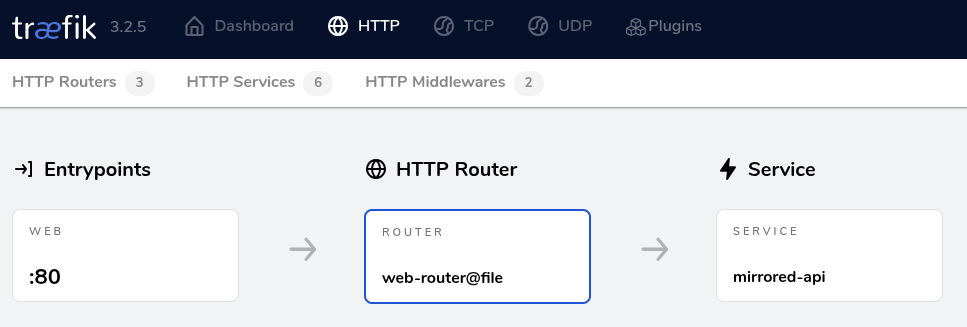
http://localhost:8080/dashboard/#/http/routers/web-router%40file
traefik.yml
api:
  insecure: true

entryPoints:
  web:
    address: ":80"

providers:
  docker:
    exposedByDefault: false

  file:
    filename: /etc/traefik/dynamic.yml
    watch: true
dynamic.yml
This is the configuration for the mirroring setup.
http:
  routers:
    web-router:
      rule: "PathPrefix(`/`)"
      entryPoints: ["web"]
      service: mirrored-api

  services:
    mirrored-api:
      mirroring:
        service: web
        mirrors:
          - name: sst-proxy
            percent: 100

    web:
      loadBalancer:
        servers:
          - url: "http://web/"

    sst-proxy:
      loadBalancer:
        servers:
          - url: "http://sst-proxy:8080/"
Web (Blog backend)
This is the dummy backend service. In this case it is hosted by Nginx.
<!DOCTYPE html>
<html>
  <head><title>Demo</title></head>
  <body>
    <h1>Hello Traefik + GoatCounter SST</h1>
  </body>
</html>
SST Proxy
The sst proxy is a simple service that transform a general purpose REST request to a tracking request.
GET localhost:80/some/path
This is transformed into a request within the docker network (proxy) that makes sense to your tracking service. Think of it as your client side .js tracking library you typically add in your frontend code.
POST http://goatcounter:8080/count
{payload specific to goatcounter}
Code
package main

import (
	"log"
	"net"
	"net/http"
	"net/url"
	"os"
)

func main() {
	goatURL := os.Getenv("GOATCOUNTER_URL")
	if goatURL == "" {
		log.Fatal("missing GOATCOUNTER_URL")
	}

	http.HandleFunc("/", func(w http.ResponseWriter, r *http.Request) {
		log.Println("Incoming...")
		u, _ := url.Parse(goatURL)
		q := u.Query()
		q.Set("p", r.Host+r.URL.Path)

		if ref := r.Referer(); ref != "" {
			q.Set("ref", ref)
		}

		u.RawQuery = q.Encode()

		log.Println(q)
		log.Println(u)

		clientIP := getClientIP(r)
		r.Header.Set("X-Real-IP", clientIP)
		r.Header.Set("X-Forwarded-For", clientIP)

		go func(r *http.Request) {
			u, _ := url.Parse(goatURL)
			q := u.Query()
			q.Set("p", r.Host+r.URL.Path)

			if ref := r.Referer(); ref != "" {
				q.Set("ref", ref)
			}

			u.RawQuery = q.Encode()

			req, _ := http.NewRequest("POST", u.String(), nil)
			req.Header.Set("User-Agent", r.UserAgent())

			if xf := r.Header.Get("X-Forwarded-For"); xf != "" {
				req.Header.Set("X-Forwarded-For", xf)
			}

			resp, err := http.DefaultClient.Do(req)
			if err != nil {
				log.Println("goatcounter error:", err)
				return
			}
			defer resp.Body.Close()
		}(r)

		// fast return
		w.WriteHeader(http.StatusOK)
	})

	log.Println("SST Proxy running on :8080")
	log.Fatal(http.ListenAndServe(":8080", nil))
}

func getClientIP(r *http.Request) string {
	// 1) check direct header from Traefik
	ip := r.Header.Get("X-Real-IP")
	if ip != "" {
		return ip
	}

	// 2) check forwarder chain
	xff := r.Header.Get("X-Forwarded-For")
	if xff != "" {
		return xff
	}

	// 3) fallback: extract from remote addr
	host, _, err := net.SplitHostPort(r.RemoteAddr)
	if err == nil {
		return host
	}
	return r.RemoteAddr
}
This is a crude tracking transformation, but you get the gist.
Run
docker-compose up --build
Verify
Head over to GoatCounter on localhost:8082. You need to create a user on your first login. You can skip the host. When that is done, go to localhost:80 and verify that you see our dummy service.
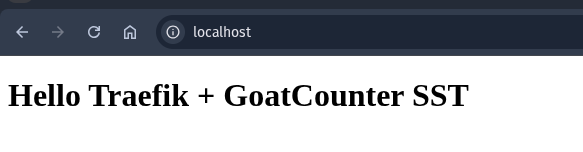
Head over to GoatCounter again and wait until you see that there is a new entry. It can take a few seconds.
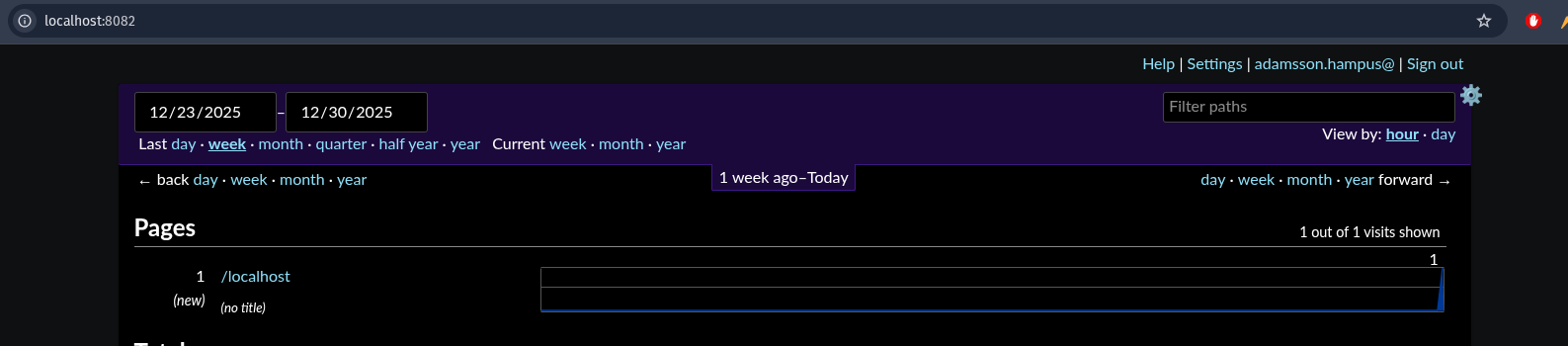
Check out the docker logs if nothing happens.

Result
I am using a similar setup for this blog, but since this blog is hosted behind Ngnix Proxy Manager and not Traefik, the setup is slightly different. Note that there is no additional Javascript or tracking request on top of the loaded HTML.